
Teléfono · Tableta · Android TVPhone · Tablet · Android TV
Todo tu contenido, en un solo reproductor. All your content, in one player.
SUTV es un reproductor de video. Conecta tu propia cuenta Xtream Codes o tu lista M3U y reproduce su contenido con una interfaz clara y rápida, pensada para el teléfono, la tableta y Android TV. SUTV no incluye ni ofrece contenido. SUTV is a video player. Connect your own Xtream Codes account or M3U list and play its content with a clear, fast interface built for the phone, the tablet and Android TV. SUTV does not include or provide any content.
SUTV no incluye contenido: reproduces el de tu propio servidor o lista. Disponible en español, inglés, portugués, francés, italiano, alemán y chino. SUTV includes no content: you play what comes from your own server or list. Available in Spanish, English, Portuguese, French, Italian, German and Chinese.
Lo que hace SUTVWhat SUTV does
Todo lo que necesitas para reproducir el contenido de tu Xtream Codes o M3U sin complicaciones.Everything you need to play the content of your Xtream Codes or M3U without hassle.
Organiza tu propia listaOrganize your own list
Muestra el catálogo de tu cuenta o lista con carteles, sinopsis y temporadas ordenadas, con búsqueda y favoritos. El contenido es el de tu proveedor: SUTV no lo incluye.Shows the catalog of your own account or list with posters, plots and organized seasons, plus search and favorites. The content comes from your provider: SUTV does not include any.
Siguiente episodio automáticoAutomatic next episode
Al terminar un episodio, el siguiente empieza solo tras una cuenta regresiva. Puedes adelantarlo o cancelarlo.When an episode ends, the next one starts by itself after a countdown. Skip ahead or cancel it.
Sigue donde lo dejastePick up where you left off
SUTV recuerda en qué minuto ibas en cada película o episodio.SUTV remembers the minute you reached in each movie or episode.
Audio, subtítulos y calidadAudio, subtitles and quality
Elige la pista de audio, los subtítulos y la calidad máxima, en el video o como preferencia.Choose the audio track, subtitles and maximum quality, in the player or as a default.
Brillo y volumen con un dedoBrightness and volume with one finger
En el teléfono, desliza hacia arriba o abajo en el lado izquierdo del video para cambiar el brillo, y en el derecho para el volumen.On your phone, swipe up or down on the left side of the video to change the brightness, and on the right side for the volume.
Tu lista, tus cuentasYour list, your accounts
Funciona con cuentas Xtream Codes y con listas M3U. Guarda hasta 12 cuentas y cambia entre ellas.Works with Xtream Codes accounts and M3U lists. Save up to 12 accounts and switch between them.
Hecho para el control remotoBuilt for the remote
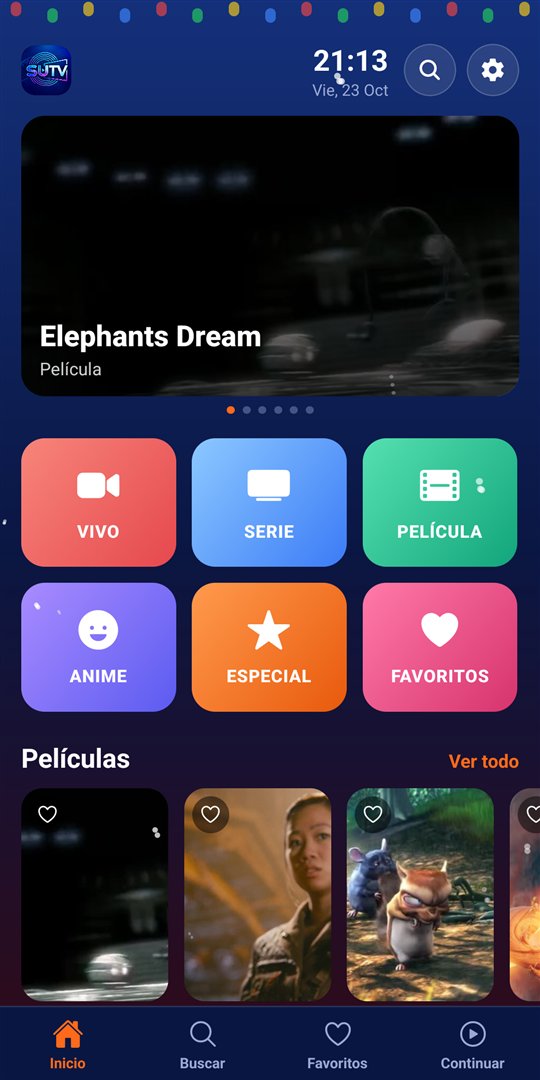
Versión para Android TV con navegación completa por control remoto, y versión para teléfono y tableta.An Android TV version you can fully navigate with a remote, plus a phone and tablet version.
Privado por diseñoPrivate by design
Sin anuncios, sin analítica y sin cuentas propias. Tus datos de acceso se guardan cifrados en tu dispositivo.No ads, no analytics and no accounts of our own. Your login details are stored encrypted on your device.
Así se veWhat it looks like
Capturas de SUTV en el teléfono con contenido de demostración libre: cortometrajes abiertos de la Fundación Blender, con licencia Creative Commons.SUTV screenshots on a phone using free demo content: open short films from the Blender Foundation, under Creative Commons licenses.
Menú de inicio con accesos y cartelesHome menu with shortcuts and posters 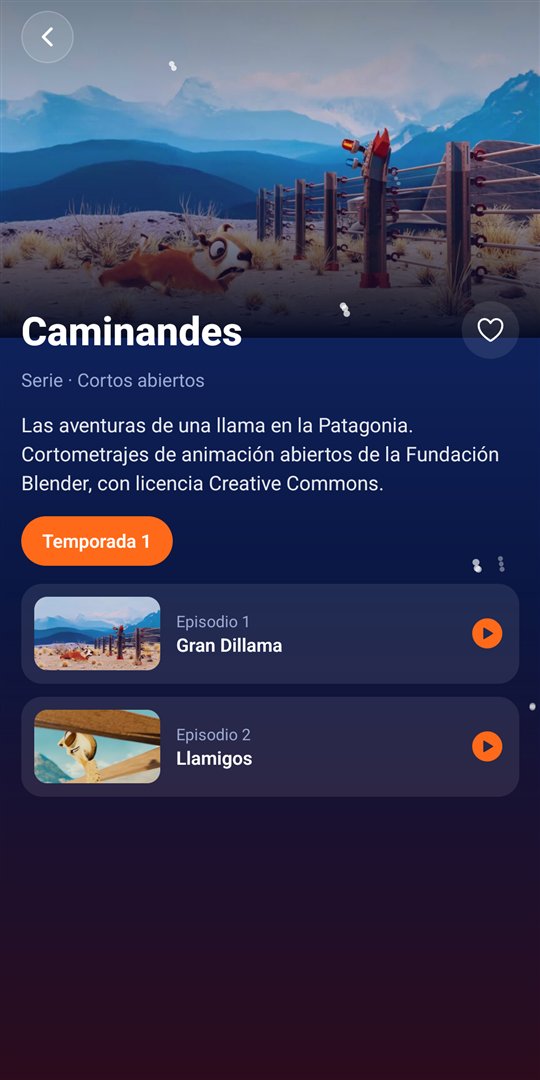
El catálogo de tu lista: temporadas y episodiosYour list's catalog: seasons and episodes 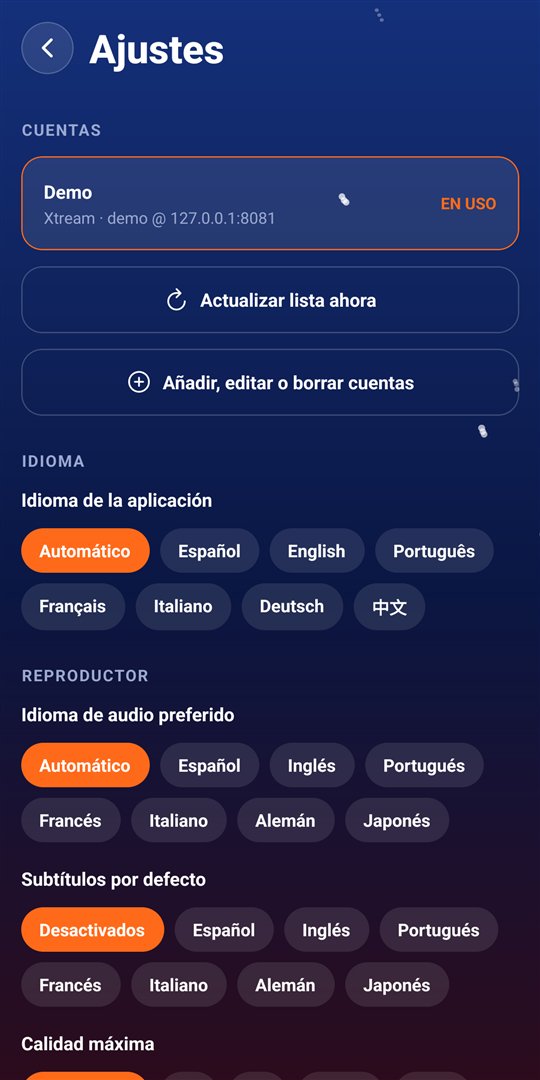
Cuentas, idioma y preferencias del reproductorAccounts, language and player preferences
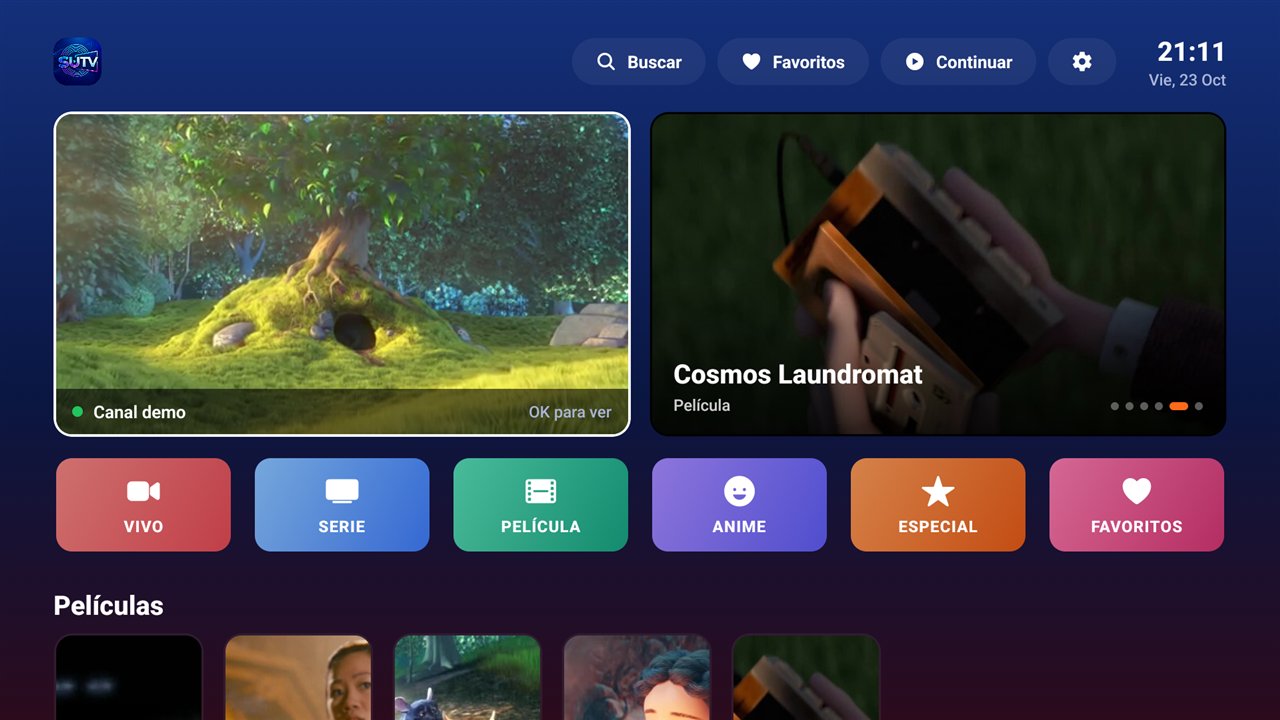
También en Android TVAlso on Android TV
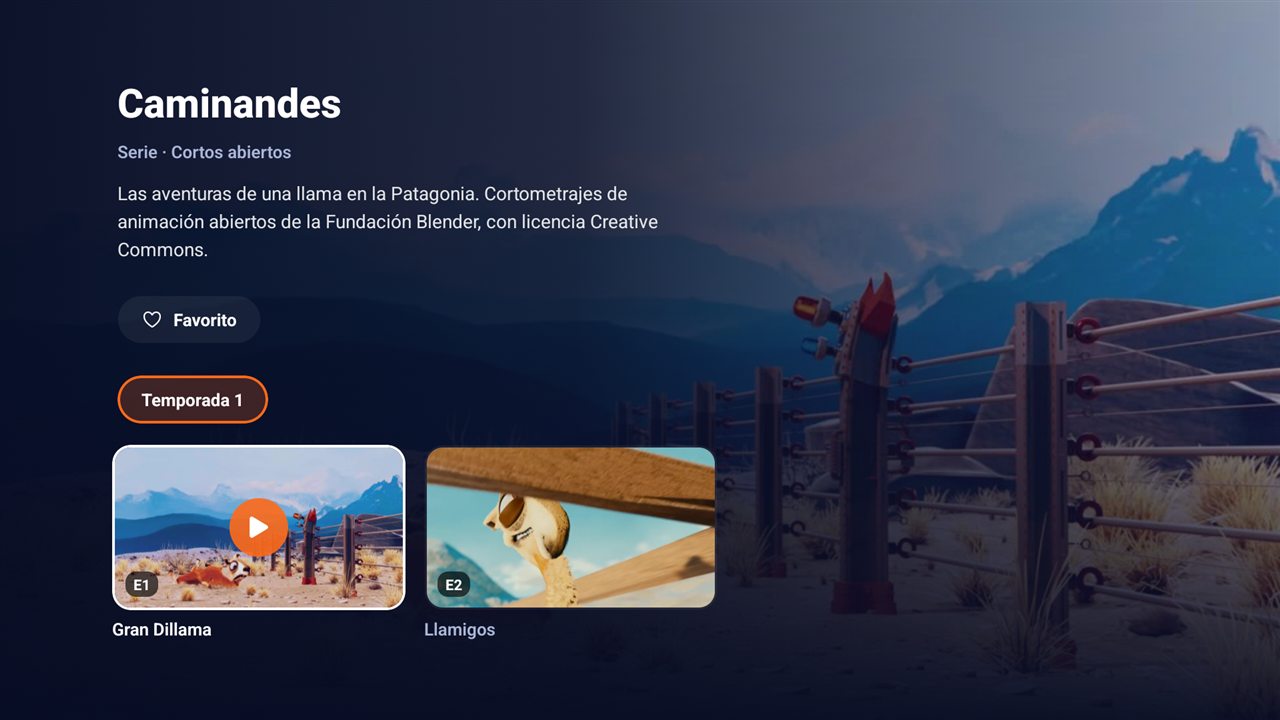
El catálogo de tu lista, pensado para el control remotoYour list's catalog, built for the remote 
Reproductor con audio y subtítulosPlayer with audio and subtitles 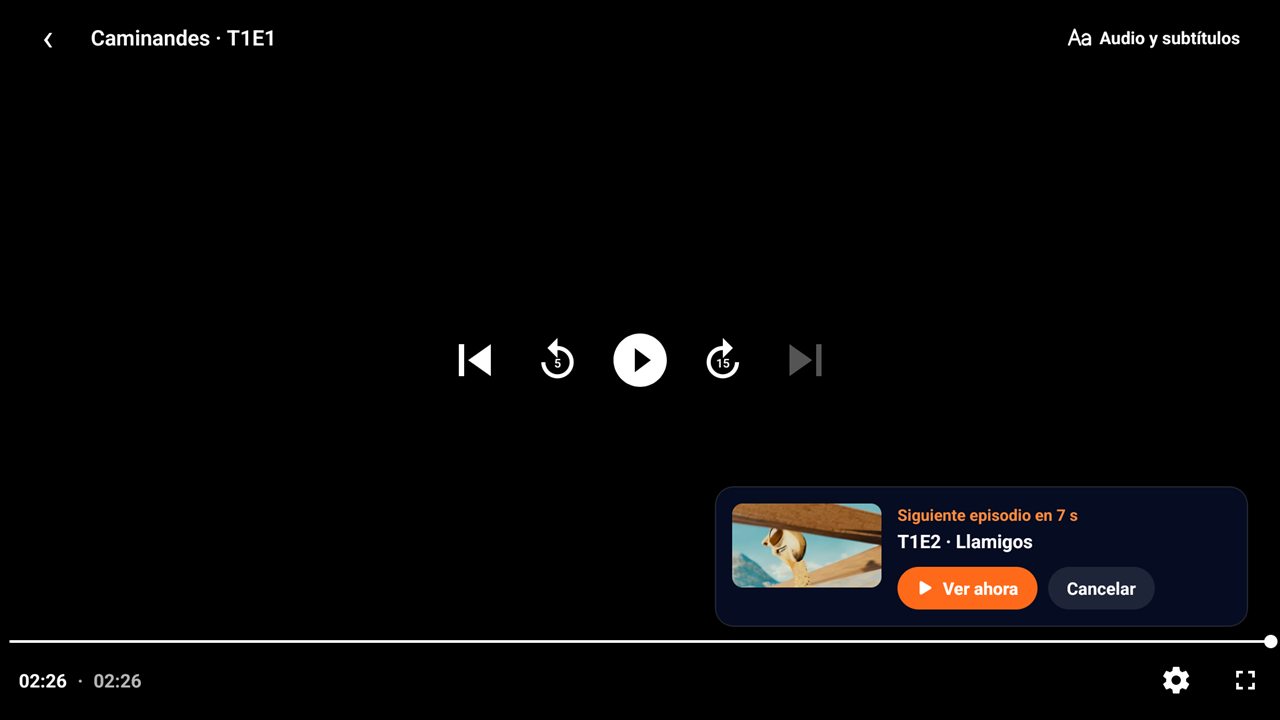
Siguiente episodio automáticoAutomatic next episode
Créditos del contenido de demostraciónDemo content credits
Películas y cortos de la Fundación Blender, vía Wikimedia Commons:Films and shorts by the Blender Foundation, via Wikimedia Commons:
- Caminandes: Gran Dillama — Pablo Vazquez, Beorn Leonard / Blender Foundation — CC BY-SA 3.0
- Caminandes 3: Llamigos — Blender Foundation — CC BY 3.0
- Spring — Andy Goralczyk / Blender Foundation — CC BY 4.0
- Elephants Dream — Blender Foundation (orange.blender.org) — CC BY-SA 2.5
- Tears of Steel — Blender Foundation (mango.blender.org) — CC BY 3.0
- Big Buck Bunny — © Blender Foundation (bigbuckbunny.org) — CC BY 3.0
- Cosmos Laundromat: First Cycle — Blender Foundation — CC BY-SA 3.0
Cómo empezarGetting started
Tres pasos y listo.Three steps and you are in.
Instala SUTVInstall SUTV
En tu teléfono, tu tableta o tu Android TV.On your phone, tablet or Android TV.
Añade tu listaAdd your list
Escribe el servidor, el usuario y la contraseña de tu cuenta Xtream Codes, o pega la dirección de tu lista M3U.Enter the server, username and password of your Xtream Codes account, or paste the address of your M3U list.
Elige y reproducePick and play
SUTV carga el catálogo de tu cuenta o lista y lo muestra ordenado.SUTV loads the catalog from your account or list and shows it organized.
Preguntas frecuentesFrequently asked questions
¿SUTV incluye películas o series?Does SUTV include movies or series?
No. SUTV es solo un reproductor: no aloja, no vende ni distribuye contenido. Reproduce lo que viene de los servidores y listas que tú añades, y tú eres responsable de tener derecho a verlo.No. SUTV is only a player: it does not host, sell or distribute content. It plays what comes from the servers and lists you add, and you are responsible for having the right to watch it.
¿Dónde consigo una lista?Where do I get a list?
Con tu proveedor de servicio de video por internet. También existen listas públicas de contenido libre, como obras con licencia Creative Commons o de dominio público. Comprueba siempre que puedes ver legalmente lo que añades.From your internet video service provider. There are also public lists of free content, such as works under Creative Commons licenses or in the public domain. Always make sure you can legally watch what you add.
¿Qué información recopila SUTV?What information does SUTV collect?
Ninguna sobre ti: no hay cuentas propias, anuncios ni analítica. Tus datos se quedan en tu dispositivo. Los detalles están en la política de privacidad.None about you: there are no accounts of our own, ads or analytics. Your data stays on your device. Details are in the privacy policy.
¿Por qué aparece TMDB?Why does TMDB appear?
SUTV usa la API de TMDB para mostrar carteles, tendencias y sinopsis. Para eso envía a TMDB el título de lo que buscas. Puedes usar tu propia clave de TMDB en Ajustes.SUTV uses the TMDB API to show posters, trends and plots. To do that it sends TMDB the title of what you look up. You can use your own TMDB key in Settings.
Derechos de autorCopyright
SUTV no aloja ni distribuye contenido. Si crees que un contenido infringe tus derechos, dirígete a quien lo publica o lo transmite. Para cualquier asunto sobre la app, escribe a apps@rs.co.cr.SUTV does not host or distribute content. If you believe some content infringes your rights, please contact whoever publishes or broadcasts it. For anything about the app, write to apps@rs.co.cr.